Powered by Blogger.
Showing posts with label Skills. Show all posts

How to know your current joomla version

Check out on your admin panel


Redirect Domains to index.php

Sometimes i always face a problem of hosting that i registered was not redirect to index.php file , which mean home page of the site. This because of .htaccess file that not yet configured

This is example when i only entered the domain name of the site.

My site with /index.php


To solve it , edit the .htaccess file either using Ftp or File manager.


Change yourwebiste.com with your Website URL.


Done.
Now when your locate your site address "example.com" it will redirect your site to "www.example.com" with index.php file.


Access MySQL Command Line in XAMPP

Usually if we installed MySQL database using XAMPP package , we will access the database by PhpMyAdmin.

For this tutorial i will show how to access MySQL via Command Line .

> cd C:/

>cd XAMPP\mysql\bin

>mysql.exe --user=[yourUsername] --password=[yourPassword]

Done :)

GoogleHacks


Googlehacks its a tool for make your life more easiest when want to search something . Is a compilation of carefully crafted Google searches that expose novel functionality from Google's search and map services. For example, you can use it to view a timeline of your search results, view a map, search for music, search for books, and perform many other specific kinds of searches. You can also use this program to use google as a proxy.

*Important : The name should not imply the way it should be used. 

You can download this tool here. 


Make a screenshot of Youtube videos on blogger .

Today i will give a simple tricks to make a screenshot of Youtube's videos on blogger. This thing i found out when i got this problem on my other blog , that template was not support the screenshot of my videos.

First upload your Youtube videos.


Copy the url after http:..embed/


Click on upload picture


Insert this URL http://res.cloudinary.com/demo/image/youtube/[paste what you copy before]


Now you will see the screenshot of videos on your post .

MAN IN THE MIDDLE ( MITM) ATTACK : USING WIRESHARK AND CAIN & ABEL

Today i got a request from my friend , he wants to know how to use wireshark and cain & abel tools. To make this tutorial interesting i will show how do MITM attack including ARP Cache Poisoning. Then we will inject the cookies we get , to browser for hijack the account.

Please make sure that this two tool has been installed on your machine. You can get Wireshark here , Cain & Abel here. If your antivirus keep annoy about this tool just ignore. Sometime when you run Cain & Abel the popup say WinPcap driver not found please install it first , you can get it here

Lets start the tutorial. On your Cain & Abel , Click on Sniffer tab , active the sniffer and click "+" sign.


Check on All hosts in my subnet and tick on All Tests for more .


You will get a list of IP depend on the client on the network. Make sure that you know which one is Client IP (Victim) and your Gateway IP ( Router ). For my case , 192.168.0.1 is my Gateway IP and 192.168.0.102 is Client IP.


After that , Click APR tab that has radioactive sign. then click on "+ " sign


First click on your Gateway IP ( 192.168.0.1) on the left option , and click Client IP ( 192.168.0.102) on right option.


Select Gateway IP and Start APR by click radioactive sign.


Run Wireshark tools.


Select the network interface that currently used by click Interface List. To confirm which interface is it , look at the packet. In my case WiFi is my currently network interface used , tick on it and Start.


You will get a lot of data. To confirm that you ARP Cache Poisoning is succesfull look at the Source , it will listing the Victim IP.


To steal the cookies of victim , Filters the result with "http.cookies" .


Then click on Hypertext Transfer Protocol , identify where is cookies from "www.blogger.com" , and copy truncated cookies.


To inject cookies on your browser you will need a Tampermonkey extenison (Chrome user) or Greasemonkey extension (Firefox user ). Download Tampermonkey here Greasemonkey here.


And also Cookie Injecter script here.


Restart Your Browser. Goto to website that the cookies come from. In my case is "www.blogger.com"


Press ALT + C button to get the injector cookies pop up.


Paste The cookies on the fill box. Then refresh the browser.


Now you have access to the blogger page admin without need to know the username and password. Cookies can be used untill the victim did not logout the account.

Oftenly this technic is used by Hacker on CyberCafe , school network , Wifi Hotspot to steal facebook cookies.

CLICK HERE TO KNOW ABOUT MITM ATTACK.

IMPORT CONTACT FB VIA YAHOO.MAIL

Today i will show , how to import email contact form your facebook to yahoo mail. This is also once of technic Information Gathering.

To make this tutorial work ,  what do you need is a Yahoo.Mail accounts , and a Facebook account either using a Gmail.Mail or Yahoo.Mail ( i had try two of this and its work ).

First , login to Yahoo.Mail and Facebook account. Then on your Yahoo.Mail checkout the CONTACTS tab. Click symbol  " + " on LISTS to make a new folder.


Then click on import Contacts . Select Facebook.


And you done with it.


The Perfect Blog Post Templates

Today i decide to change my blog template, while making some research on Google i found some interesting picture that decribe about how to get a perfect template for blog post.


Information Gathering Using Social Network

Information Gathering or IG is a process to collecting data of someone "victim" , to make preparation before we attack the victim. With IG we can find what the vulnerabilities that has on the victim.

For this tutorial i will show how usually i do this technic on social network , and this tutorial i will show how to search their names , email address , fon numbers , recovery email address , their website.

FOR EDUCATIONAL PURPOSE ONLY (For some reasons this tutorial will be picture only)

CASE 1 :


CASE 2 :


How to Use Whois in windows

Whois is a tool to performs the registration record for the domain name or IP address that you specify. And by default its preinstalled on linux and *unix operating system. Unfortunatelly for windows user you have to installed it manually.

Usually the penetrate system using this whois to collecting data or it called reconnaissance phase. Whois also can be performed on web based , Ex  whois.net 

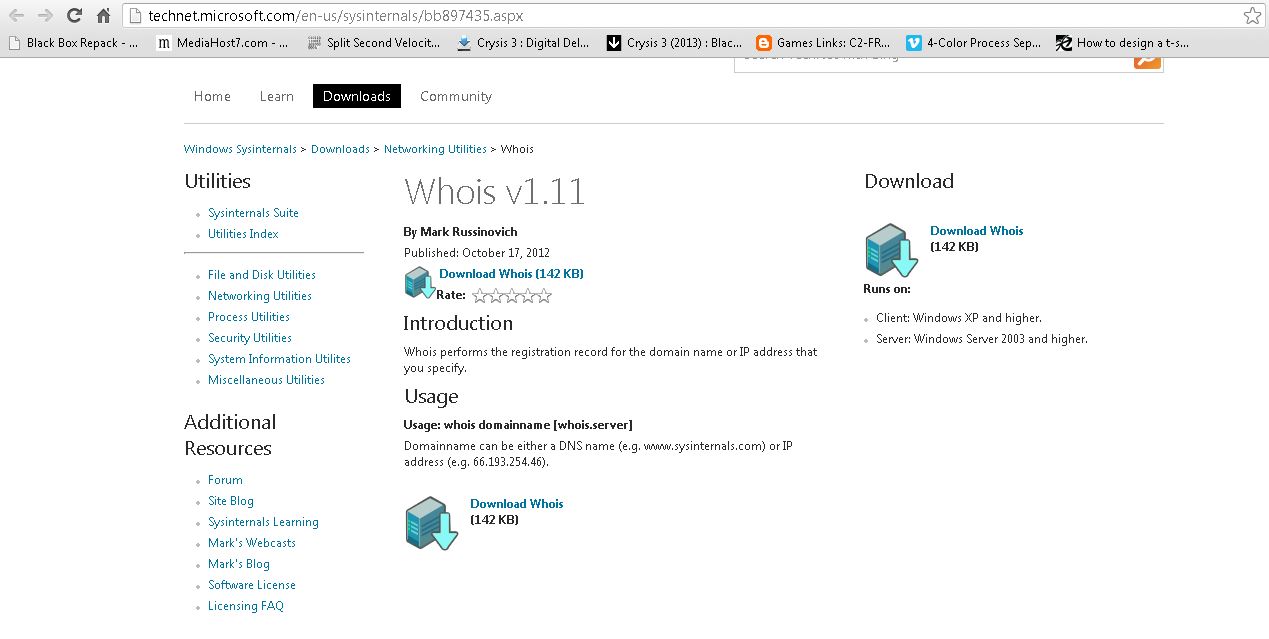
 This tutorial i will show , how to performed whois on windows machine. Get whois from technet microsoft


Extract zip file on C:\  directory


Open up command prompt goto whois folder


type in whois.exe and you will prompt with a popup , click on accepted


Usage is : whois [-v] domainname [whois.server]
  1.  [ ] : is a optional   
  2. domainname either web site address or their ip address 
  3.  whois.server is name of registrar that the domain has been registered.  
    • whois.afrinic.net
    • whoisapnic.net
    • whois.arin.net
    • whois.domainregistry.my
 Ex: whois.exe technet.microsoft.com


And you will get a lot of detail of the registrar. Please note , use this skill for learning only dont do this for a hacking.